
Crash guides
Crash demo mode: what you can learn without using money
Use a Crash demo to understand virtual balances, control labels and phone layouts. Learn what a demonstration can show, and what it cannot establish.
Rohan Verma · Updated · 4 min read
Decide what kind of demonstration you are looking at
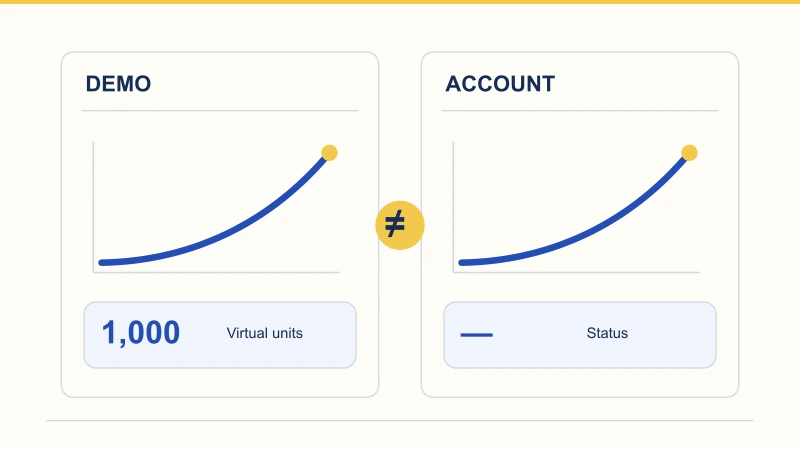
“Demo” can describe a playable preview, a video or a fixed illustration. Those are different tools. A playable preview may let you explore controls with virtual units; a video shows a sequence someone else recorded; an illustration explains selected details. SPRIBE’s Aviator page and Aviatrix’s Crash Game page both provide a demo entry point. That identifies a provider-published route, not proof that it will load on every device or in every location. The stage diagrams on Master Crash are educational illustrations. Their fixed example numbers are not a live round, and tapping a stage does not place a wager.
Establish what the balance represents
Before interacting, find the mode label and the explanation of its units. For this guide, a demo balance means virtual units used inside a demonstration, with no cash value. A large balance or a currency symbol on its own does not establish that meaning. Nor should “free” be treated as a complete description: a promotional credit and a virtual demonstration balance are different concepts. You should be able to understand the mode without supplying payment details. If the page switches to a deposit or payment flow, that is a different activity from the non-money interface review described here.
Follow one small fictional balance ledger
Suppose a practice ledger begins at 1,000 units. A 100-unit entry reduces the available balance to 900. Under a simple stake-times-multiplier rule, an accepted 1.50× action returns 150 units, leaving 1,050 in the ledger. The increase above the starting balance is 50, not 150. If the next 100-unit entry ends without a return, the ledger falls from 1,050 to 950. These invented figures make the accounting visible; they are not observations from a demo or targets to copy. A screen may show available balance, committed amount and pending return separately. Keeping those labels in your notes prevents counting the same units twice.
| Question | Useful evidence | Outside its scope |
|---|---|---|
| Can I read the controls? | Labels and layout on the device being reviewed. | How a different app or device behaves. |
| Why did the virtual balance change? | Starting units, entry, accepted result and final units. | Cash withdrawal or bank settlement. |
| What does a fixed diagram show? | The specific fields and example explained by its caption. | A live game, random round or actual account. |
| What happened in this example? | A saved record of what happened in that example. | A forecast for later rounds. |
Give each control one plain-language description
An amount field, a round-entry button and a cash-out control do different jobs even when they occupy the same panel. Write a short description of each visible label: changes an amount, submits an entry, requests an exit, opens a record. An automatic target and a setting that repeats entries also need separate descriptions. Some products have additional controls; Spaceman’s provider page, for example, advertises a 50% auto-cashout option. Rather than guessing from an icon, use the help text to establish the affected amount and when a setting takes effect. An unavailable control may simply belong to a different round stage.
Use the visit to inspect your phone layout
A non-money preview can reveal small usability problems before they become confusing. Keep the phone upright and see whether the amount, status and relevant control fit without horizontal scrolling. Open a number field and notice whether the keyboard hides its confirmation button. Increase text size, open the help panel and switch language if that option is present. Pay attention to the close control as well as the open control. If a banner covers the record you want to read, note that specific problem. These are practical interface observations, not a performance benchmark or evidence about the behaviour of a different app.
A demo cannot answer every product question
A virtual balance does not demonstrate how an account payment would be processed. A smooth animation does not establish how a real account dispute would be resolved. Neither does a handful of successful practice examples establish future results: it is a short sequence, not evidence of a dependable method. Resetting the demonstration may make the balance look fresh while removing the context of earlier actions. Keep that distinction in mind when viewing a screenshot of a large virtual total. The screenshot can document that display at that moment; it cannot, by itself, show withdrawable money or a repeatable outcome.
Finish with an answer, rather than a score
A productive review might end with a note as simple as: “Portrait view: the keyboard covers the amount confirmation; closing it reveals the button.” Include the product name, source address, language, device orientation and date so the observation has context. If you are explaining a balance, add the starting amount and the sequence of changes, rather than only the final total. You can stop once the question is answered. This guide is based on published provider information and illustrative examples; it is not a hands-on test report and does not confirm a demo mode in the APK linked by Master Crash.
Questions readers ask
Can I withdraw a demo balance?
A virtual demonstration balance, as used in this guide, has no cash value. Do not confuse it with an account balance or a promotional offer.
Is the Master Crash stage diagram a playable demo?
No. It is a fixed educational illustration. Selecting a stage changes the explanation, not a live round or account.
Does a demo prove that an app contains the same game?
No. A demonstration belongs to the product and source that presents it. It does not establish the contents of an unrelated APK.
 Rohan Verma
Android downloads & troubleshooting
Covers APK file details, Android installation, version checks and practical update troubleshooting.